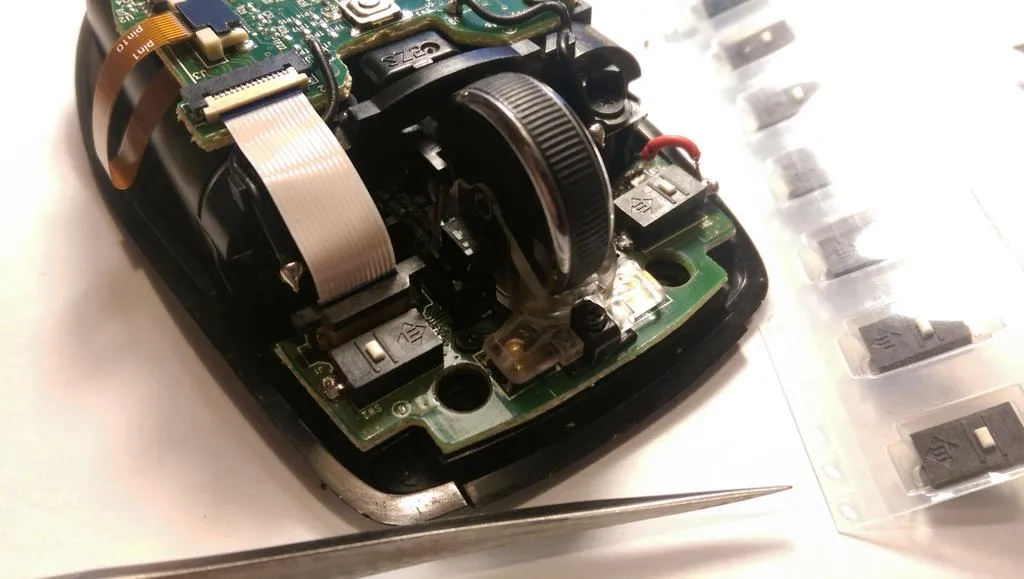
If you own one of these beauties, then get ready for some switches trouble. Don’t get me wrong, I <3 this mouse, I have two (one for work, one for home), but seriously Logitech, couldn’t you put better switches in it, so they don’t die after less than a year of hard use? :-/
There are plenty of tutorials and videos about the issues with these switches and Google is your best pal there, so I won’t get into details. I just want to mention something that I wished somebody told me before I started desoldering the old switches.
Something
So for me the normal fix of sticking some pieces of carton on the clickers didn’t work. My left click was working from time to time, no matter how hard I pressed. Then I decided to replace the tiny little buggers.
That’s when I stumbled upon this iFixIt guide, which is great, but, if you don’t read the comments, you might miss a very important fact. When you remove the old switches, please make sure you don’t damage the PCB and remove the contacts from it.
But if you did that, then you will have to come up with a solution like this guy suggests. Nevertheless, a solutions is still a solution, but I wished I knew that from the beginning!
In the end, I got this: